‘EXPERT MODE’ CAN BE REMEMBERED FOR FUTURE SESSIONS?
16 apr. 2020
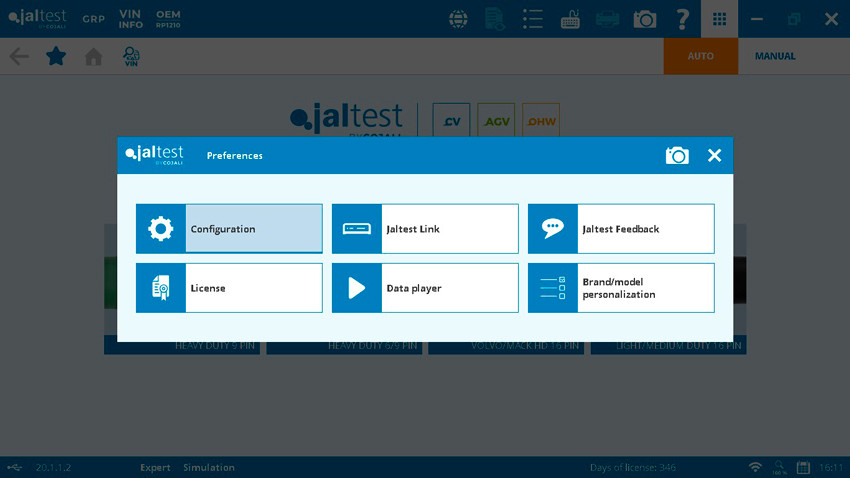
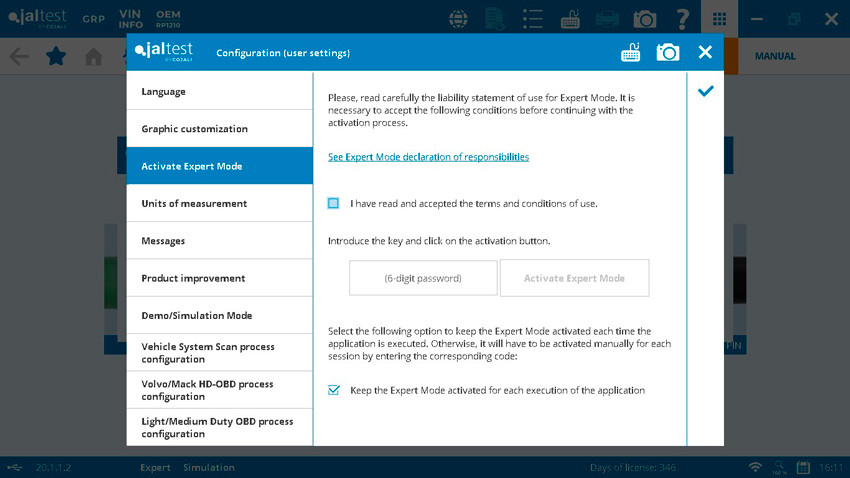
In the North American version, it is now possible to select the option to keep the Expert mode activated for future diagnostics sessions saving you the time of introducing it in every session. Just access the configuration icon, select expert mode, and click the button!
As a side note, if GRP Synchro or GRP Enterprise are enabled, the Expert mode activation will follow the access level defined in the user accounts, meaning it would have to have been predefined.

17 jun. 2026
Van gegevens naar beslissingen: Hoe telematica vlo ...
Lees meer
16 jun. 2026
The evolution of Jaltest GRP: now fully online
Lees meer









 ONLINE CATALOOG